
Getting Started with Flightflyer
An award flight search engine that scans real-time seat availability across multiple airline loyalty programs. Easily find, compare, and book award flights using your points and miles.
Getting Started with Flightflyer
An award flight search engine that scans real-time seat availability across multiple airline loyalty programs. Easily find, compare, and book award flights using your points and miles.
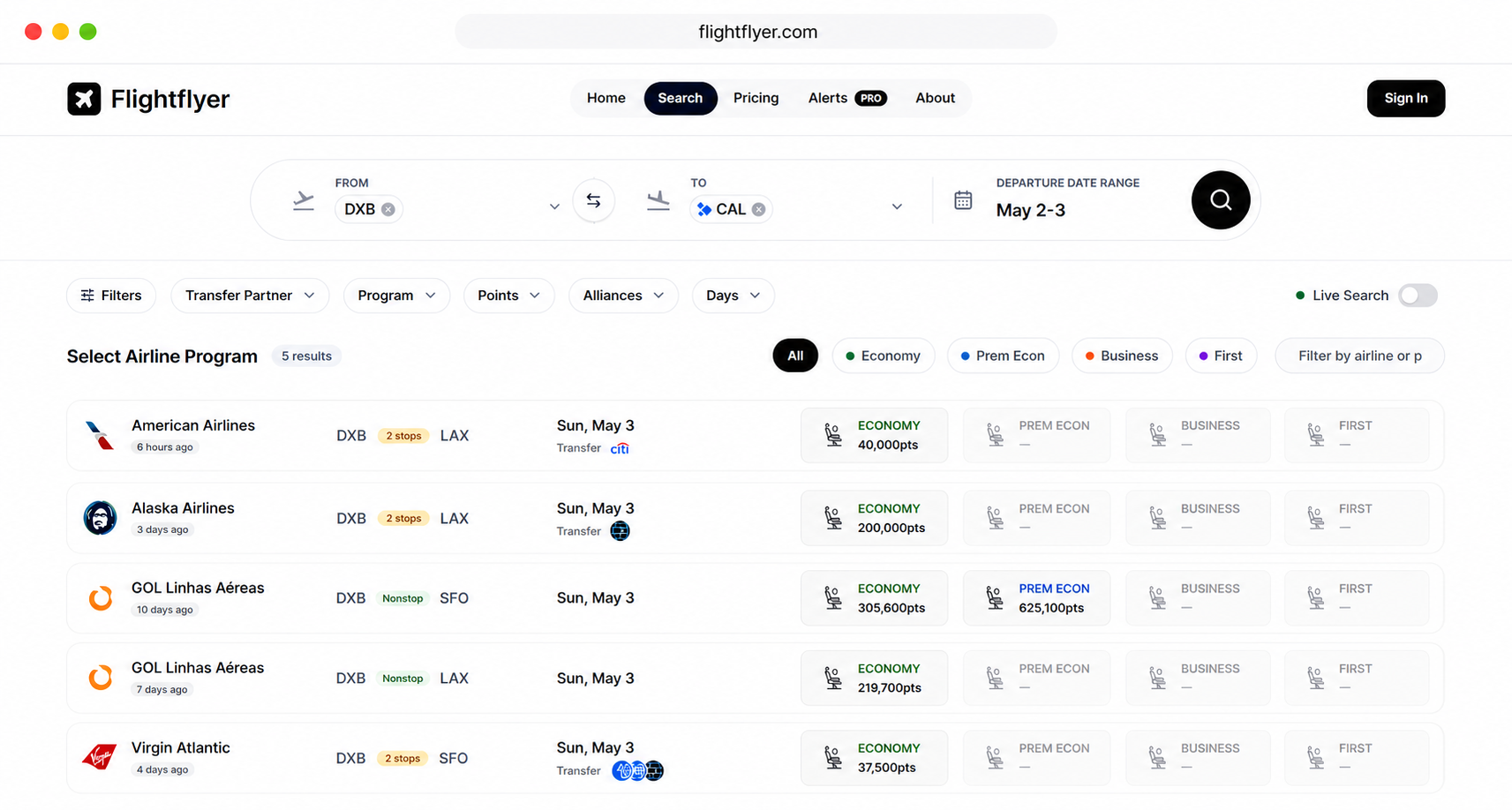
Search Award Flights
Across Multiple Programs
Flightflyer searches live award availability across multiple airline loyalty programs at the same time, so you can find, compare, and book the best redemption without jumping between airline websites.
The free account gives you access to core Search and Explore features, enough to find award seats, compare programs, and plan your trip. Flightflyer Pro unlocks advanced alerts and deeper filtering tools for a more powerful experience.
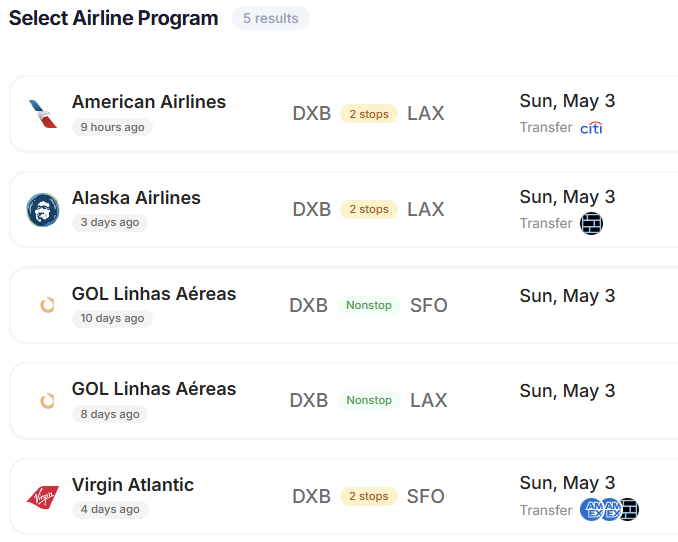
搜尋功能中的篩選條件
Refine your results to find the perfect flight by filtering for mileage costs, cabin class, connection preferences, and more.
Get notified the moment seats become available
Award seats on popular routes, particularly in business and first class, can vanish in seconds and reappear unpredictably as airlines adjust inventory or cancellations occur. Alerts monitor this for you automatically.
Click Set Alert on any route in Search or Explore, or go to the Alerts tab directly.
Enter your departure and arrival airports, choose your preferred cabin class, and set your date range.
Select the program you want to monitor or track all programs.
Save your alert. Flightflyer will notify you by email as soon as a matching seat becomes available.
方案與定價
按年付費即可獲得無限的點數額度,並在方案上省下更多。
常見問題
關於透過 Flightflyer 尋找哩程機票、查看空位狀況與使用航空公司點數及哩程的常見問題解答。